
Chapters
Chapter 7 - Steering Gear
Assembly page 108
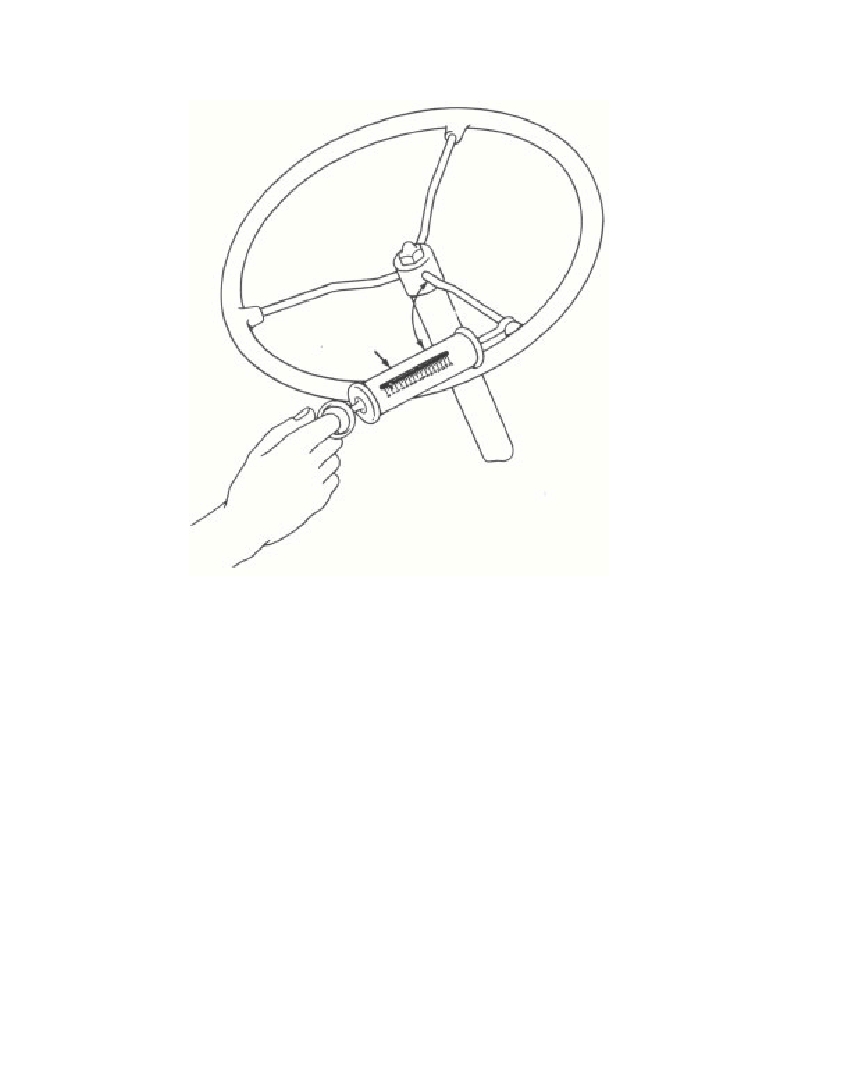 Fig. 7—Checking Steering AdjustmentHold the ball nut in your hand and rotate the steering shaft untilthe center tooth (2 teeth each side) lines up with the center of the leftsector shaft opening.Place the left sector shaft (3 large and 4 small teeth) and thrustwasher in the sector shaft bearing housing, and position the metalgasket on the housing. Install this assembly in the steering gear hous-ing with the center tooth of the three large sector teeth meshed in thecenter space of the teeth on the ball nut. While engaging the leftsector shaft and ball nut, it may be necessary to hold the ball nut inposition by reaching through the hole in the right side of the steeringgear housing. The bearing is eccentric in the sector shaft bearinghousing and should be installed with the notch located at the bottom.Rotate the left housing counterclockwise (as viewed from the leftside of the tractor) to eliminate backlash. Secure the sectpr shaftbearing housing by installing the washer and four cap screws. Theadjustment between the left sector and ball nut should be such that§ 124. b.3730-47J10890°Spring ScaleRM-668
Free to read online. Contents · Where is the serial number on a 9N, 2N or 8N?